HTTP Basic Auth
You can require an HTTP Basic Auth challenge on the public ingress of any environment — useful for staging and preview environments that should be reachable but not indexed or accidentally hit.
The challenge is enforced at the nginx ingress level, before any request reaches your container, so it costs you nothing in app-side code.
Add a Basic Auth credential
Open My Account → Credentials and add a credential of type Basic Auth. The form takes a username and password:
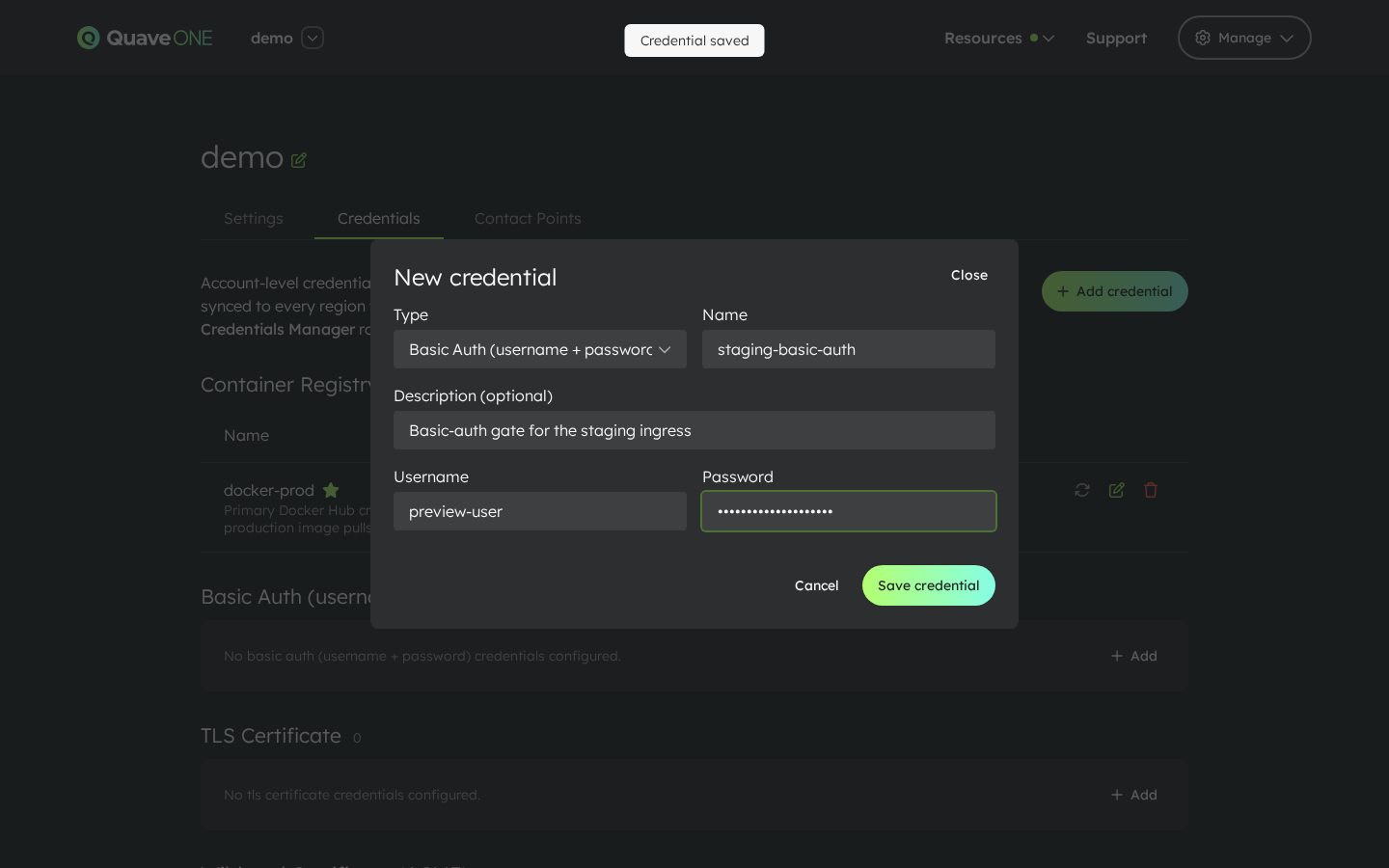
You can keep multiple Basic Auth credentials around — for example one per environment or one per audience (internal team, external partner) — and pick the right one per environment.
See Account Credentials for the full credential management walkthrough.
Apply the credential to an environment
Open the environment and select Settings → Security settings. Pick a credential from the Require HTTP Basic Auth (nginx ingress) select:
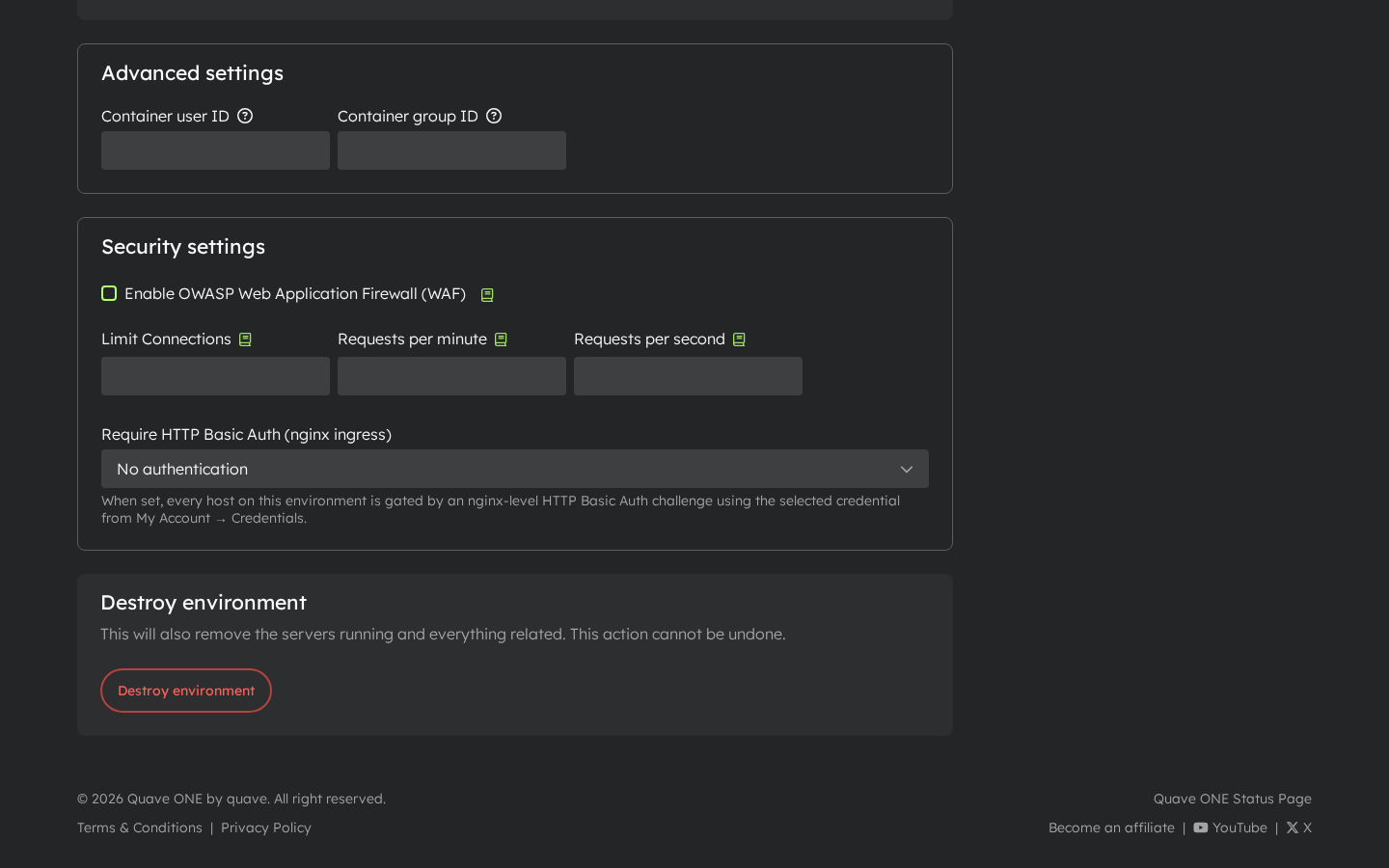
When set, every host on this environment is gated by an nginx-level HTTP Basic Auth challenge using the chosen credential. Browsers show the standard prompt; programmatic clients have to send the matching Authorization: Basic … header.
To remove the challenge, set the select back to No authentication.
Notes
- Basic Auth runs before any rate-limiting / WAF rule on the same ingress, so blocked requests don't count against your rate limits.
- Rotate the credential the same way you rotate any other account credential: edit it under My Account → Credentials. Every environment referencing it picks up the new value on the next sync.
- Basic Auth gates the whole environment. To gate only a specific path, handle authentication inside your app instead.