Container Registry
You can deploy your apps just by providing the name of an existing Docker image. See Deploy with Image for the full flow.
If your image lives in a private registry (Docker Hub private repo, GHCR, Amazon ECR, GCR, an internal registry, …) the platform needs credentials to pull it. Those credentials are stored once on the account and selected per app.
Add a Container Registry credential
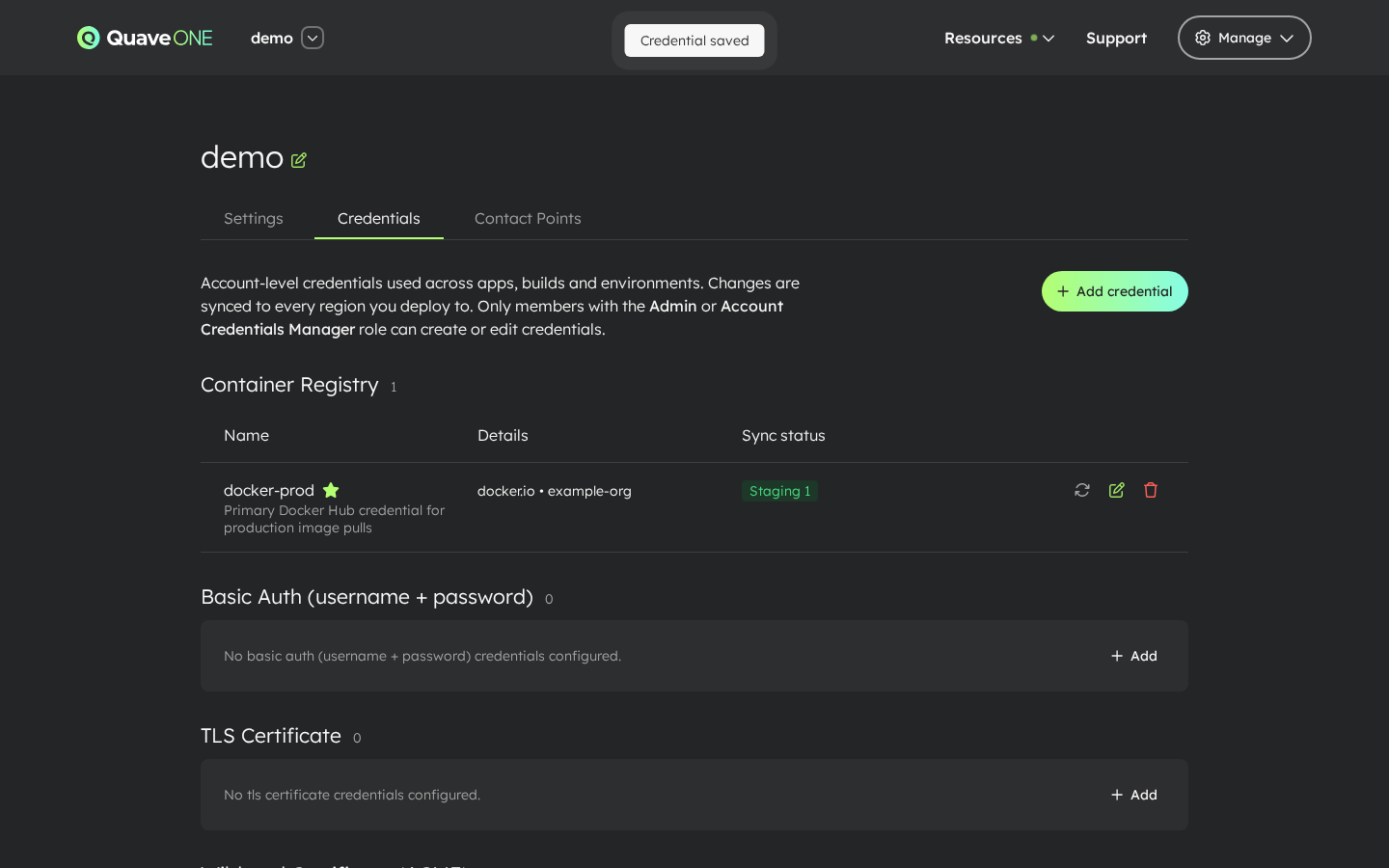
Open My Account → Credentials and add a credential of type Container Registry. See Account Credentials for the full walkthrough — the short version is:
- Click Add credential.
- Pick the type Container Registry, give it a name (it will appear in the App page selects), and choose the registry provider:
- Static registry — fill server / email / username / password for Docker Hub, GHCR, GCR, or an internal registry with stable credentials.
- AWS ECR — fill AWS account ID, AWS region, optional registry URL, AWS access key ID, AWS secret access key, and optional AWS session token. Use an IAM principal that can call
ecr:GetAuthorizationTokenand read the private ECR repositories you deploy from.
- Save. The credential is encrypted, scoped to the account, and synced to every region you deploy to.
Which server to use
The Server value is stored exactly as you type it and becomes the registry key in the Docker config used by deploys and builds.
| Registry | Server |
|---|---|
| Docker Hub | https://index.docker.io/v1/ |
| GitHub Container Registry | ghcr.io |
| Google Artifact Registry | <region>-docker.pkg.dev |
| Internal registry | The registry host, for example registry.example.com |
For Docker Hub, use https://index.docker.io/v1/. A credential saved as docker.io works for runtime image pulls, but Docker builds only look up Docker Hub credentials under https://index.docker.io/v1/. With docker.io, a build that uses a private Docker Hub base image pulls anonymously and fails.
The first Container Registry credential you create is automatically promoted to the account default. Apps that don't pick a registry explicitly use the default. You can promote a different credential later with the Set as default action on the row.
AWS ECR refresh behavior
Amazon ECR does not issue a permanent Docker registry password. AWS authorization tokens are short lived, so Quave ONE stores your AWS source credentials encrypted and generates the Docker pull-secret material server-side.
For AWS ECR credentials, Quave ONE:
- refreshes the generated ECR Docker auth token in the background every 6 hours;
- syncs the refreshed pull secret to the same account-level Kubernetes secret used by deploys and builds;
- shows a refresh status on the credential row, including last success, expiry, or a safe error message;
- keeps supporting multiple Container Registry credentials per account, including any mix of static registries and AWS ECR registries.
You should not paste the 12-hour output of aws ecr get-login-password into a Static registry credential. Choose AWS ECR and provide the AWS source credentials once instead.
Use the credential at deploy time
Two places on the App page reference container-registry credentials.
Image pull (image deploys)
Apps configured with Use image (deploys an existing image) expose a Container registry for runtime pull select under App Config, right below the Image input. The platform uses the selected credential to authenticate the image pull at deploy time.
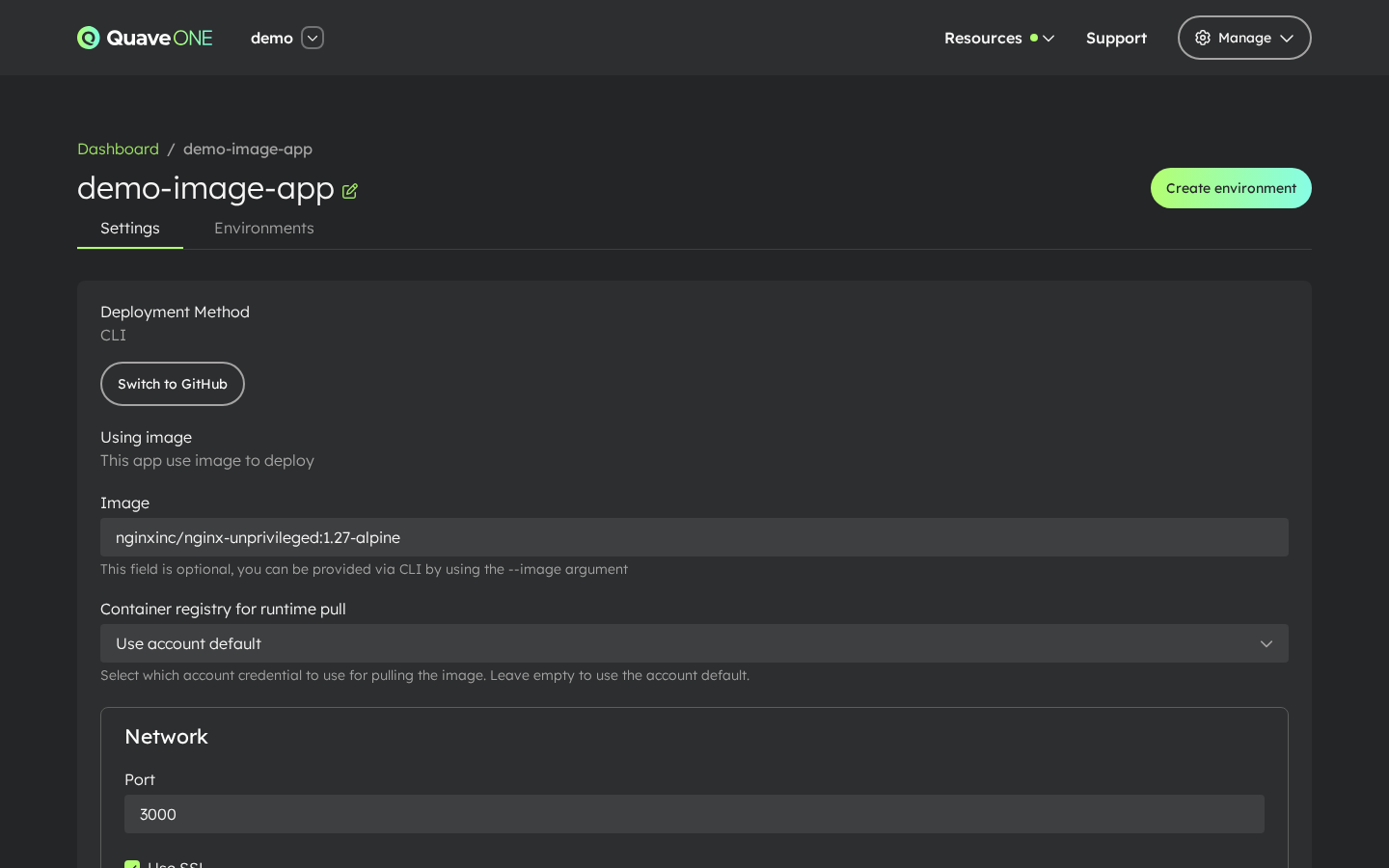
Leave it on Use account default to fall back to the account-wide default Container Registry credential.
Image auto-deploy uses this same credential to check the watched tag, and only when the credential's server matches the image registry. Quave ONE reaches the registry from its own servers for these checks; registries on private network addresses are only reachable from installations that explicitly allow them.
Build pull (Docker builds from source)
Apps configured with Build from source expose Custom Registry in the App section navigation. Pick a credential from Container registry for build pull to authenticate base-image pulls during the Docker build.
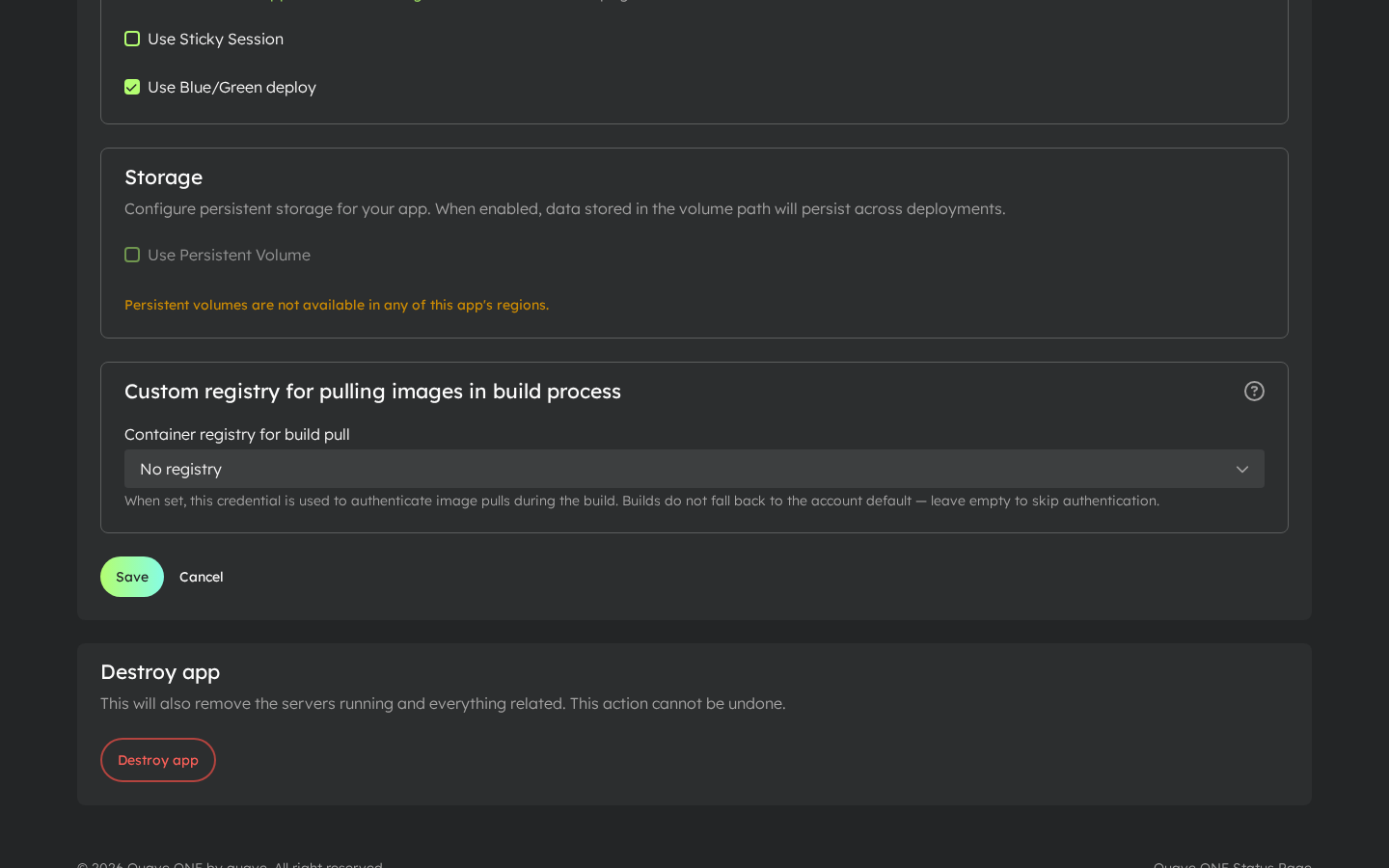
Builds do not fall back to the account default — leave the select empty if your base images are public.
Pick credentials by name from the dropdowns. Only Container Registry credentials appear there.
Notes
- The credentials are only used to download images. Images you build inside the platform are not pushed to your registry.
- If all your images are public, you don't need a Container Registry credential at all.
- Rotating a credential is a one-place change — every app referencing it picks up the new value on the next sync.
- For AWS ECR, pulls can happen outside a deploy when an app starts, scales, restarts, or is rescheduled. The background refresh keeps the account pull secret fresh for those cases too.
Troubleshooting
Build fails with pull access denied … insufficient_scope
The build could not authenticate the pull of a private base image (the FROM image in your Dockerfile). Check that:
- The app has a credential selected in Container registry for build pull. Builds do not use the account default.
- For Docker Hub, the credential's Server is
https://index.docker.io/v1/. If it isdocker.io, edit the credential and change the server, then run the build again. Runtime pulls keep working with the new value. - The username and password (or access token) can read the base image repository.